
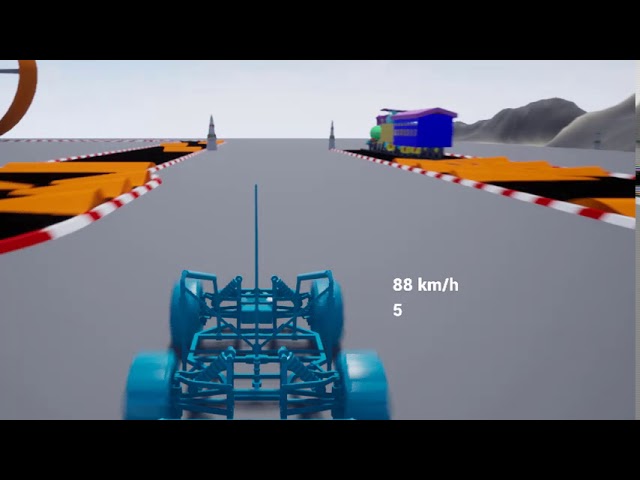
How to Create 3D game for Desktop and mobile Application
[fvplayer id=”51″]
Creating a 3D game for desktop and mobile requires the right tools, programming knowledge, and game design principles. Below is a step-by-step guide to help you get started.
Steps to Create a 3D Game for Desktop & Mobile
Choose a Game Engine
A game engine provides the tools needed to develop a game, including physics, rendering, and scripting.
Best Game Engines for 3D Games:
- Unity (C#) – Best for beginners & professionals. Cross-platform support.
- Unreal Engine (Blueprints & C++) – High-quality graphics, great for AAA games.
- Godot Engine (GDScript, C#) – Lightweight and open-source.
- CryEngine – Used for high-end graphics & FPS games.
Recommended: Unity (for easier learning and cross-platform development).
Install Required Software
- Unity
- Unreal Engine
- Blender (for 3D modeling)
- Visual Studio (for coding in C# or C++)
Learn Basic Programming (C# for Unity, C++ for Unreal)
If you are new to coding, start learning:
- C# for Unity – Learn Object-Oriented Programming (OOP).
- C++ for Unreal Engine – Used for advanced game development.
- Blueprint (Unreal Engine) – A visual scripting tool (no coding required).
Resources to Learn:
- Unity Learn – Official Tutorials
- Unreal Academy – Free Courses
- C# for Beginners
Create 3D Assets (Characters, Environment, Objects)
You can use Blender, Maya, or 3ds Max to create 3D models or download free assets from:
- Unity Asset Store – Free & paid assets.
- Unreal Marketplace – Game-ready models.
- Sketchfab – Free 3D models.
Game Development Process
A. Create Your Game Scene
- Design the environment (terrain, skybox, lighting).
- Add 3D models (player, NPCs, buildings, props).
B. Add Physics & Interactivity
- Unity & Unreal have built-in physics engines.
- Implement player movement (jump, run, attack).
- Add gravity & collision detection.
C. Implement Game Logic (Using Scripts)
For Unity (C# Example):
For Unreal Engine (Blueprints):
- Use Blueprint nodes to add movement, animations, and interactions.
Add Game UI & Sound Effects
- UI Elements: Add score, health bar, buttons.
- Sound Effects: Download free sounds from
- Background Music: Use royalty-free music from
Optimize Your Game for Performance
- Reduce polygon count for 3D models.
- Use Level of Detail (LOD) for distant objects.
- Optimize lighting & shadows for mobile devices.
Export and Publish the Game
- For PC (Windows/macOS): Export as an .exe (Unity/Unreal).
- For Mobile (Android/iOS):
- Android: Export as an APK & upload to Google Play Store.
- iOS: Build with Xcode & submit to the App Store.
Final Tips for Success
Start with a small project before making a complex game.
Use online courses (Udemy, Coursera, YouTube tutorials).
Join game developer communities (Reddit, Discord, Stack Overflow).
Always test your game on different devices before release.
Would you like a sample Unity project or step-by-step coding guide? Let me know!
Creating a 3D game for both desktop and mobile is an exciting and rewarding project — and with the right tools and approach, it’s totally achievable, even for beginners!
Here’s a complete step-by-step guide to help you get started, along with tips on choosing the right tools, platforms, and languages.
🎮 Step-by-Step Guide: How to Create a 3D Game for Desktop & Mobile
✅ Step 1: Choose a Game Engine (The Foundation)
The game engine handles graphics, physics, input, and more.
| Engine | Best For | Platforms Supported |
|---|---|---|
| Unity | Beginners + Advanced Devs | Android, iOS, Windows, Mac, WebGL, more |
| Unreal Engine | High-quality graphics (AAA) | Desktop, Mobile, Consoles |
| Godot 4 (C# or GDScript) | Open-source, lightweight | Mobile, Desktop, HTML5 |
🎯 Recommendation: Use Unity for beginner to intermediate 3D game development. It has a huge community, is easy to learn, and supports cross-platform export.
✅ Step 2: Set Up Your Environment
Install Required Tools:
-
Unity Hub + Unity Editor (LTS version recommended)
-
Android Build Support (for mobile)
-
Visual Studio (for C# scripting)
-
Xcode (for iOS development – Mac only)
Register Developer Accounts (optional for publishing):
-
Google Play Console
-
Apple Developer Account
✅ Step 3: Plan Your Game
Think of your game idea and design:
-
🎯 Objective: What’s the purpose of the game?
-
🧩 Genre: Shooter, Racing, Platformer, Adventure, etc.
-
🌍 Environment: What does the 3D world look like?
-
👾 Assets: Do you need characters, terrains, props?
📝 Create a Game Design Document (GDD) with:
-
Storyline (if any)
-
Level structure
-
Game mechanics (jump, shoot, collect)
-
Controls (mobile vs desktop)
✅ Step 4: Build Your Game in Unity
-
Create a New 3D Project
-
Import Assets
-
Use Unity Asset Store (free/premium)
-
Or design in Blender (3D modeling software)
-
-
Scene Setup
-
Add terrain, objects, lights, camera
-
-
Add Scripts (C#)
-
Player movement
-
Enemy behavior
-
Collision detection
-
Scoring & UI
-
-
Add UI (score, health, menus)
-
Optimize for Mobile
-
Adjust resolution
-
Use touch controls (
Input.touchCount) -
Optimize lighting/textures for performance
-
✅ Step 5: Test & Debug
-
Test on different screen sizes and devices
-
Use Unity Remote for mobile preview
-
Profile FPS and optimize frame rate
✅ Step 6: Export the Game
For Desktop (Windows/Mac/Linux):
-
File → Build Settings → PC, Mac & Linux → Build
For Android/iOS:
-
File → Build Settings → Android/iOS
-
Configure signing keys, package name, icons
-
Export APK (Android) or Xcode project (iOS)
✅ Step 7: Publish (Optional)
-
Upload APK to Google Play Console
-
Submit app via App Store Connect (iOS)
-
Add descriptions, screenshots, and privacy policies
🔧 Tools You’ll Need
| Purpose | Tool |
|---|---|
| Game Engine | Unity or Unreal |
| 3D Modeling | Blender (Free) |
| Texturing | Substance Painter / Photoshop |
| Code Editor | Visual Studio |
| Mobile Testing | Unity Remote / Android Studio |
| Sound & Music | Audacity, Freesound.org |
🧠 Pro Tips
-
✅ Start with a small prototype (1 level or core mechanic)
-
🛠️ Use modular design (easier to manage code & assets)
-
📱 Use On-Screen Joysticks for mobile controls
-
💾 Keep backup/version control (use Git or Unity Collaborate)
-
📚 Learn from YouTube tutorials (Brackeys, Code Monkey, GameDevTV)
🚀 Want Help Getting Started?
I can help you with:
-
Sample Unity project (basic 3D game)
-
Script templates (movement, collision)
-
Free 3D assets
-
Mobile-ready UI layout
Just tell me your game idea, and I’ll guide you step-by-step!