
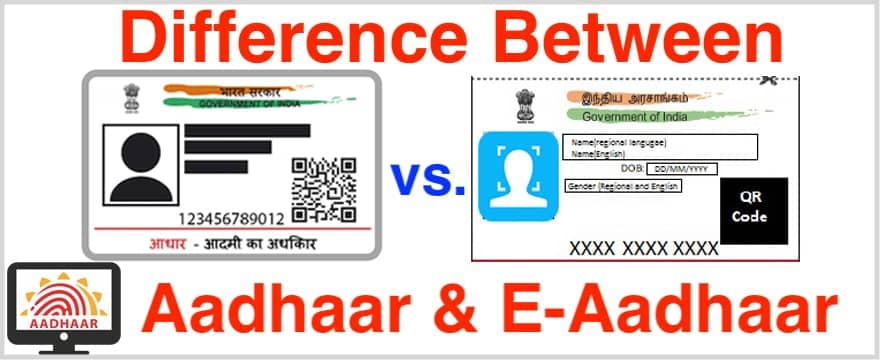
Do you want to know the difference between Aadhaar and E-Aadhaar Card? Then you are in the right place.
Often one may get into confusion regarding the difference between the two, and this is normal because both of these are the two sides of the same coin.
What is Aadhaar?
Aadhaar refers to the physical card that is issued by the UIDAI once your enrolment for Aadhaar is complete. It contains your unique 12-digit Aadhaar number, along with other personal details such as:
- Your name
- Date of birth
- Gender
- Photograph
- Address
- QR code for easy verification
Aadhaar is widely used for various government schemes, banking services, KYC processes, and mobile verifications.
Key Features of Aadhaar:
- Physical Format: Aadhaar is issued in a physical card format.
- Issued after successful enrolment: Once the enrolment process (which includes biometric data collection) is completed, you receive your Aadhaar card.
- Required for official purposes: Aadhaar serves as proof of identity, residence, and date of birth.
What is E-Aadhaar?
E-Aadhaar is the digital version of the physical Aadhaar card. It is available as a password-protected PDF file, which can be downloaded from the official UIDAI website or app. E-Aadhaar carries the same details as the physical Aadhaar card, including the Aadhaar number, name, address, and photograph.
E-Aadhaar is just as valid and legally recognized as the physical Aadhaar card, and it can be used in the same way for official purposes.
Key Features of E-Aadhaar:
- Digital Format: E-Aadhaar is a PDF file that you can easily download and store on your device.
- Downloadable from UIDAI Website: You can download E-Aadhaar using your Aadhaar number or Enrolment ID via the official UIDAI website or app.
- Password-protected: E-Aadhaar is encrypted and requires a password to open (usually the first four letters of your name in uppercase, followed by your birth year).
- Legally Valid: E-Aadhaar is recognized as an official document and is accepted in the same manner as a physical Aadhaar card.
Key Differences Between Aadhaar and E-Aadhaar
| Feature | Aadhaar (Physical) | E-Aadhaar (Digital) |
|---|---|---|
| Format | Physical card | Digital PDF file |
| Availability | Sent via post after successful enrolment | Available for download from UIDAI website |
| Accessibility | Physical copy (must be carried with you) | Can be downloaded and stored on any device |
| Password Protection | Not password-protected | Password-protected PDF file |
| Issuance | Issued after biometrics and document verification | Downloaded anytime from UIDAI’s official site |
| Legal Validity | Accepted as a government-issued ID | Legally valid for all purposes, including KYC |
| Usage | Used as a physical card for various purposes | Used as a digital version for similar purposes |
Benefits of E-Aadhaar Over Aadhaar
1. Instant Access
E-Aadhaar can be downloaded immediately after Aadhaar registration or when you need to update your details. You don’t need to wait for the physical card to arrive by post.
2. Convenience
You can carry E-Aadhaar with you on your mobile phone or computer, making it easier to access anytime, anywhere. No need to keep a physical card on hand.
3. Environment-Friendly
Since E-Aadhaar eliminates the need for printing, it is a paperless solution, contributing to environmental conservation.
4. Cost-Effective
You don’t have to pay for printing or delivery charges associated with the physical Aadhaar card. E-Aadhaar is free to download from the official UIDAI website.
5. Password-Protected Security
E-Aadhaar is password-protected, adding an extra layer of security to your personal data. Only you can access it using the password, which helps keep your information safe.
How to Download E-Aadhaar?
Here’s how you can download your E-Aadhaar:
- Visit the Official UIDAI Website: Go to the official UIDAI website https://uidai.gov.in.
- Click on ‘Download Aadhaar’: Under the “Aadhaar Services” tab, select “Download Aadhaar”.
- Enter Your Aadhaar Number/Enrolment ID: You can download your E-Aadhaar using either your Aadhaar number or Enrolment ID.
- Verify via OTP: An OTP will be sent to your registered mobile number. Enter it to proceed.
- Download the PDF: Once verified, the E-Aadhaar PDF will be available for download.
- Password Protection: To open the PDF, use the password, which is the first four letters of your name in uppercase followed by your year of birth.
Is E-Aadhaar as Valid as Aadhaar?
Yes, E-Aadhaar is just as valid as the physical Aadhaar card. The UIDAI has made it legally acceptable for all official purposes, including banking, KYC, government services, and more. You can use E-Aadhaar in place of the physical card when required.
In fact, E-Aadhaar is widely used for eKYC processes in various services, making it one of the most accessible and widely accepted forms of identity proof.
But First, we will talk about the similarities between the two-
1. Both Aadhaar and E-Aadhar are valid, and you can use any of these to avail some service.
2. Both of them store your 12 Digits UID number.
3. Both of them have your address and other essential data.
You may now be confused and thinking “Everything is the same then what is the difference?”
Now let’s talk about what is the difference between both of them.
1. You see Aadhaar is a physical card which you can hold and take it everywhere, this might look a little handy, but it also increases the chances of misplacing your physical card.

But your E-Aadhaar as the name symbolizes is an Electronic card which means you can store the downloaded file in your Mobile, PC, Laptop or other portable devices. Moreover, your downloaded file will be password protected which only you will know.
So with the first point, it is clear that your Electronic UID has more of portability and thus you can carry it everywhere, for instance, your work, airport, etc. without having to worry about misplacing.
2. I will explain the second point with a little illustration.
Suppose you are going somewhere where you need your Aadhar card as an entry checkup and you are going there for very important work. Now while getting out of the Taxi, your UID card got a slip from your Pocket and fell in that taxi.
In this situation when you don’t have your card, you will not be allowed to surpass the Entry checkup because you have no aadhar.
But suppose if you have an e-aadhar downloaded on your phone then you can directly go there are show them you downloaded file and boom, You got the access. It tells that e-aadhaar has more flexibility than simply one.
3. Let’s say that you moved to a new address or you got a new sim or a new email and you update the details on your Aadhaar card. After the update is done, UIDAI will not send you a new UID Card.
Which means that you have to use your old Aadhar, but with the help of e-aadhar you can download your new and updated card and use it for any service you want.

4. The fourth and last point is Saving of Time – If you UID card ever got lost, then you can order an Order Aadhaar Reprint by which UIDAI will send you a new card, but you have to pay them 50 Rupees for their service.
You can afford the price, but you may not be able to afford the time it takes, which is more than five days. Let’s say you need your Aadhaar for some important work.
In this situation, you can simply download your e-aadhar and print it from the nearest Enrolment Centre or some cybercafe shop.
The Aadhaar card is one of the most important identity documents in India, issued by the Unique Identification Authority of India (UIDAI). It serves as a proof of identity and address for Indian residents. While the physical Aadhaar card has been the traditional format, the E-Aadhaar has become increasingly popular due to its digital convenience.
Conclusion
In this article, I talked about the Difference between an Aadhaar and e-aadhaar card in an easy to understand language. If you like this article, then don’t forget to share it with your friends and family. For any query do comment below.